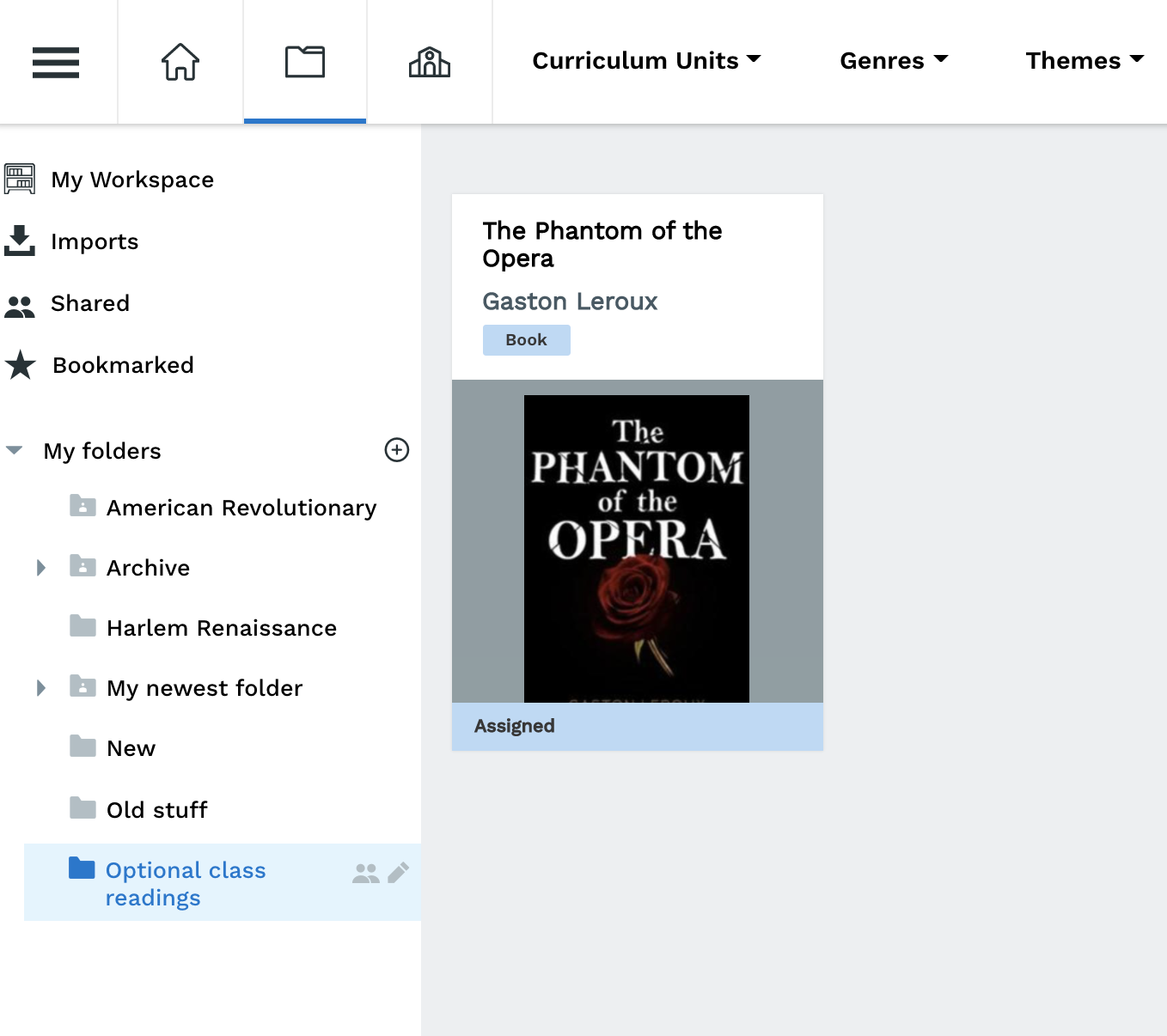
Folders can help keep your workspace organized. You may want to organize your texts by unit, learning objective, or even to identify which assignments still need work.
Step 1: Click on the "+" button
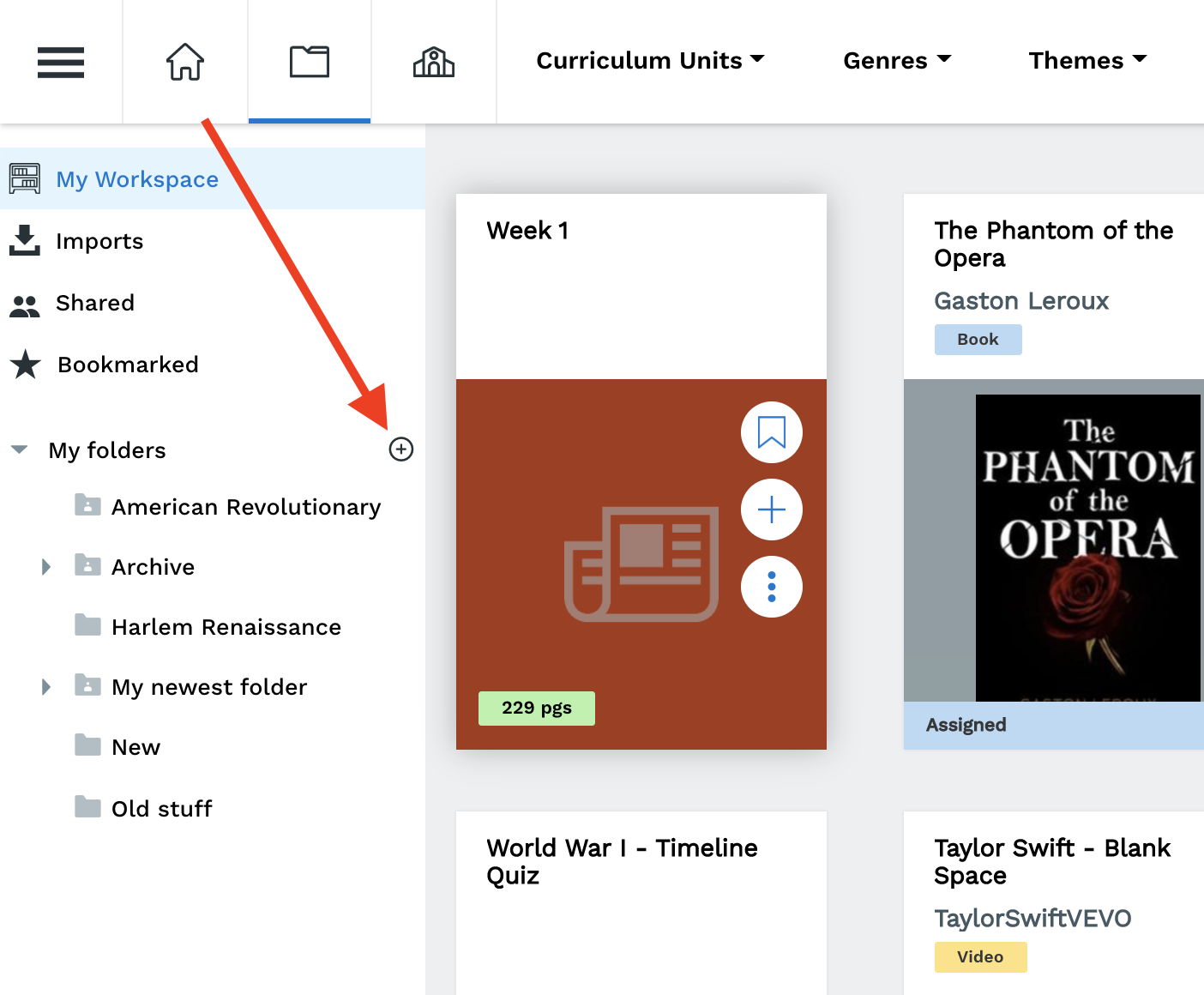
Note: If you've selected a folder already, say "ELA Material" above, and click the "+" icon, your sub-folder will be created under that folder.
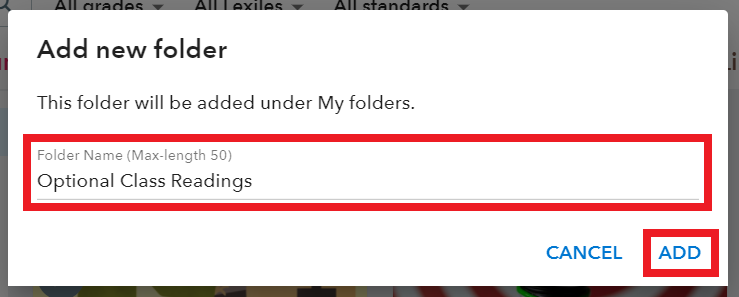
Step 2: Type in the name of the folder and click "Add"
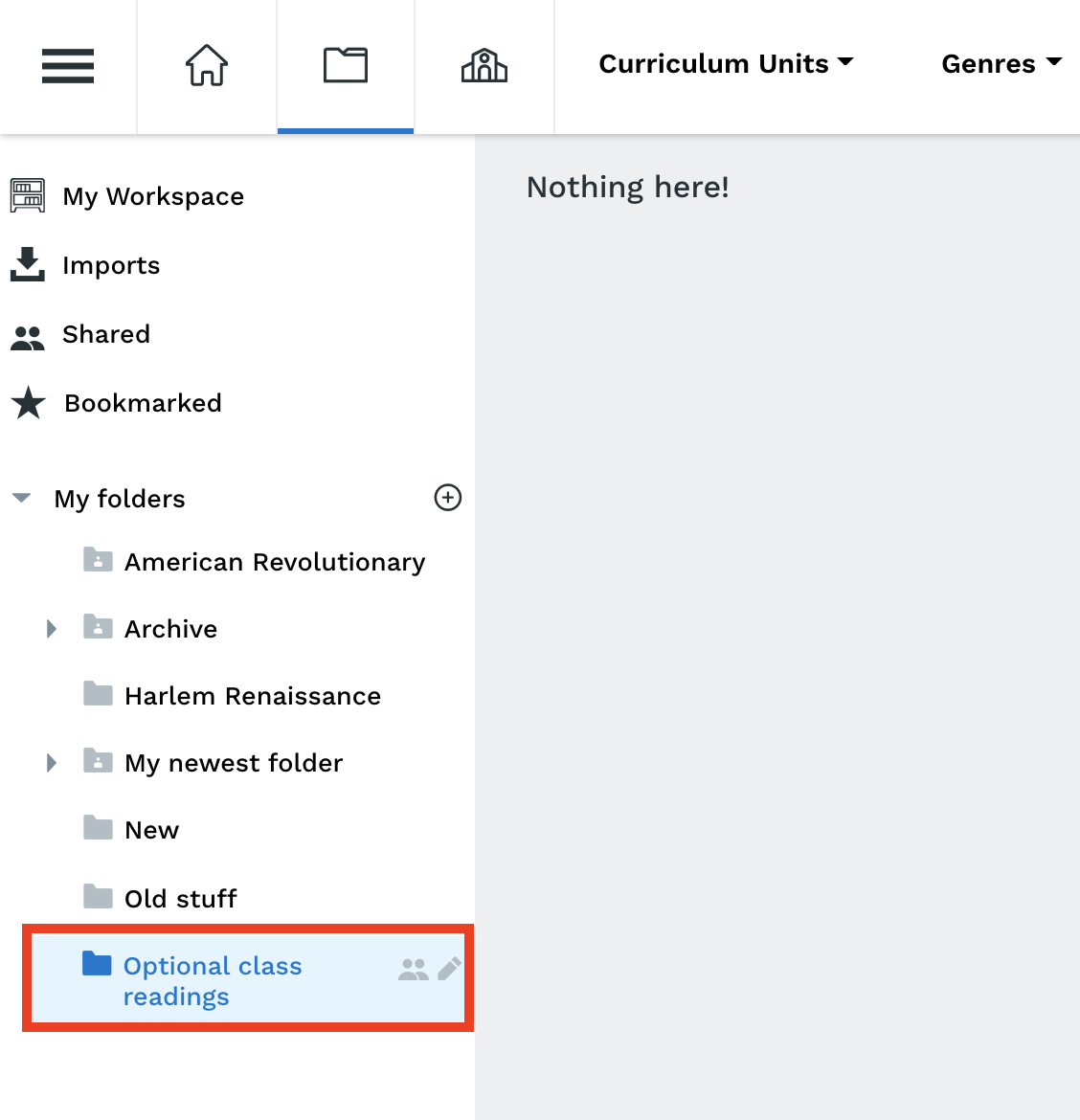
Step 3: Your new folder is ready!
Move your assignments into folders
Step 1: Click, drag, and drop an assignment into a folder
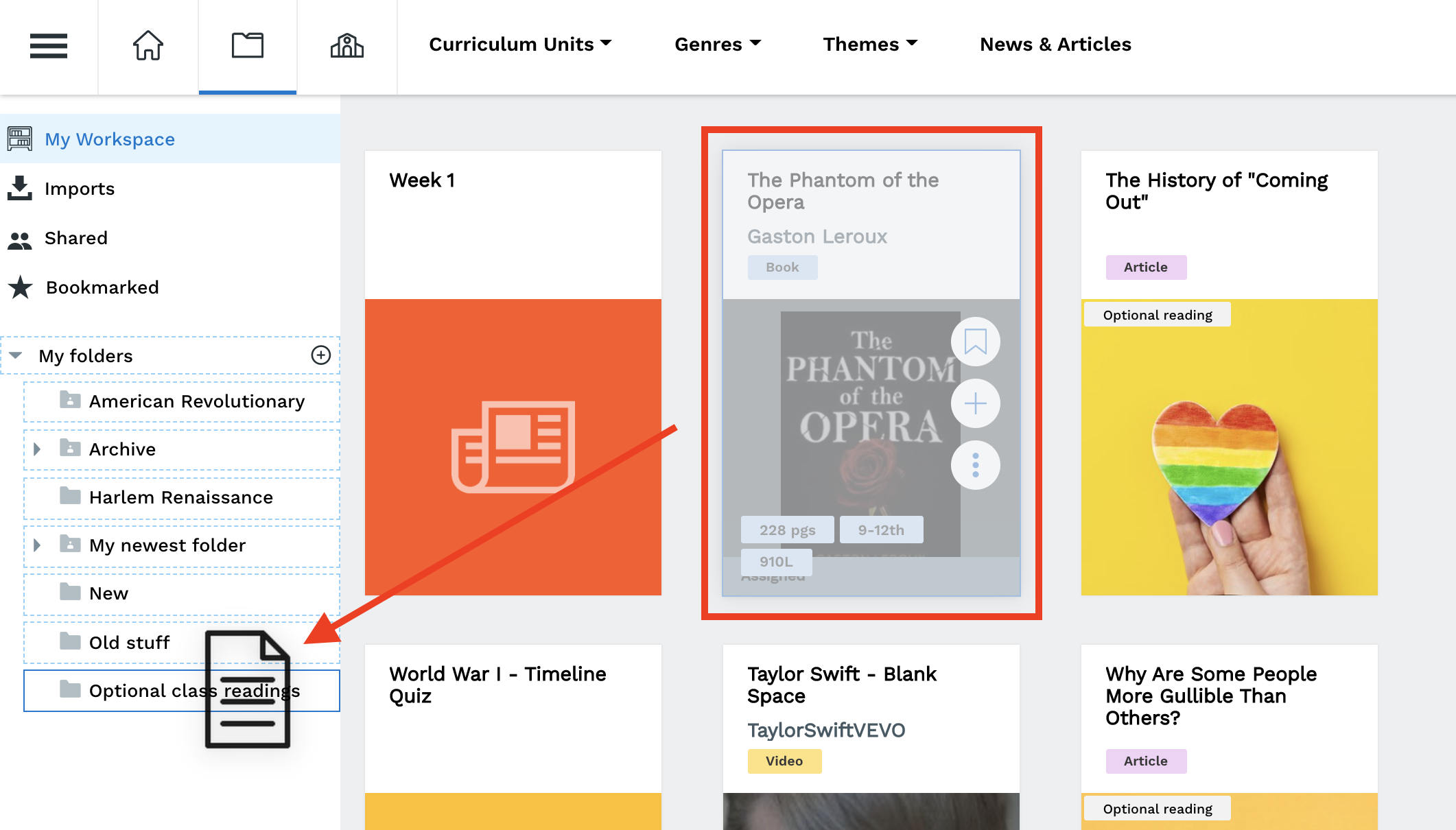
Step 2: Your assignment is now in your folder!